

Build vs buy a workflow editor — the real cost of React Flow from scratch
React Flow gives you a canvas. Production workflow editors need 14–25 weeks of engineering on top — edge routing, auto-layout, node configuration, validation. Workflow Builder SDK fills that gap in 1–4 weeks. Here’s the math, the trade-offs, and the teams who skipped the build.

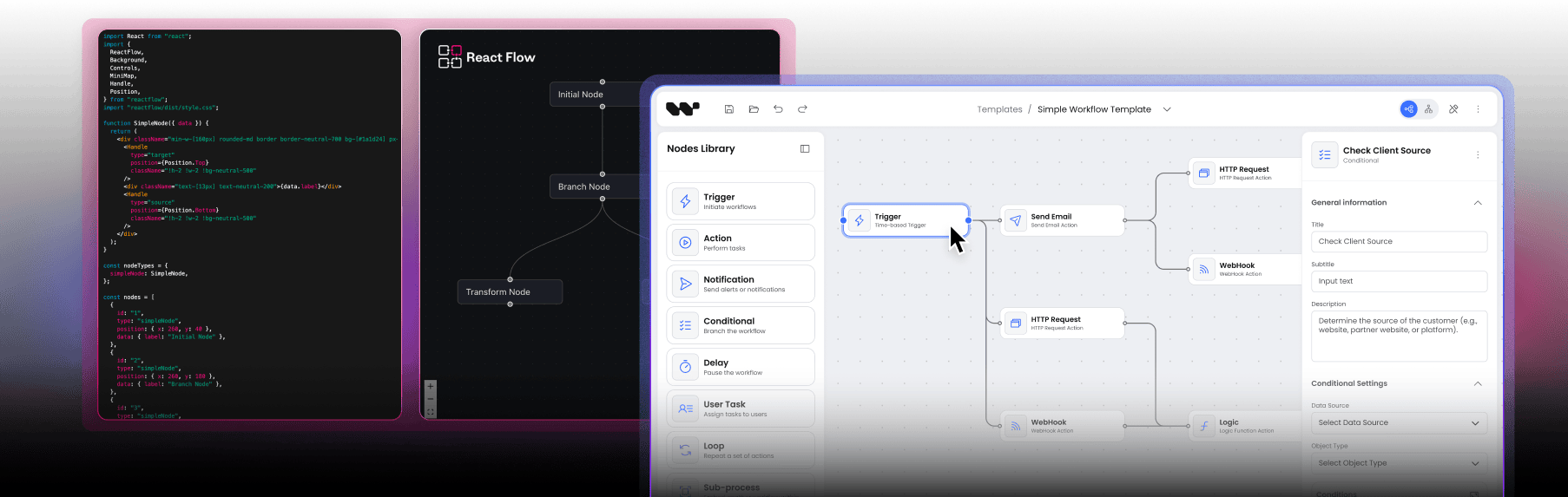
Same React Flow underneath. 14–25 weeks of engineering above it — included or DIY.
Built on React Flow · 15+ years of diagramming projects · 200+ commercial workflow editors delivered


The decision
The decision you’re actually making
Someone on the roadmap wants a visual workflow editor — drag-and-drop nodes, connected logic, the ability for users to build their own automations inside your product. The conversation turns to build vs buy.
It looks like a clean binary. Build it on React Flow (MIT-licensed, free, the team already knows React) or pay for a vendor (n8n-style platform at ~$50K/year with limited UX control). Most teams pick build because the upfront cost looks lower and the customization ceiling looks higher.
That framing misses the third path. Building on a workflow SDK — a production layer that sits on top of React Flow and ships the 14–25 weeks of engineering you'd otherwise build from scratch — gets you to production in 1–4 weeks while preserving full UX control and source code ownership.
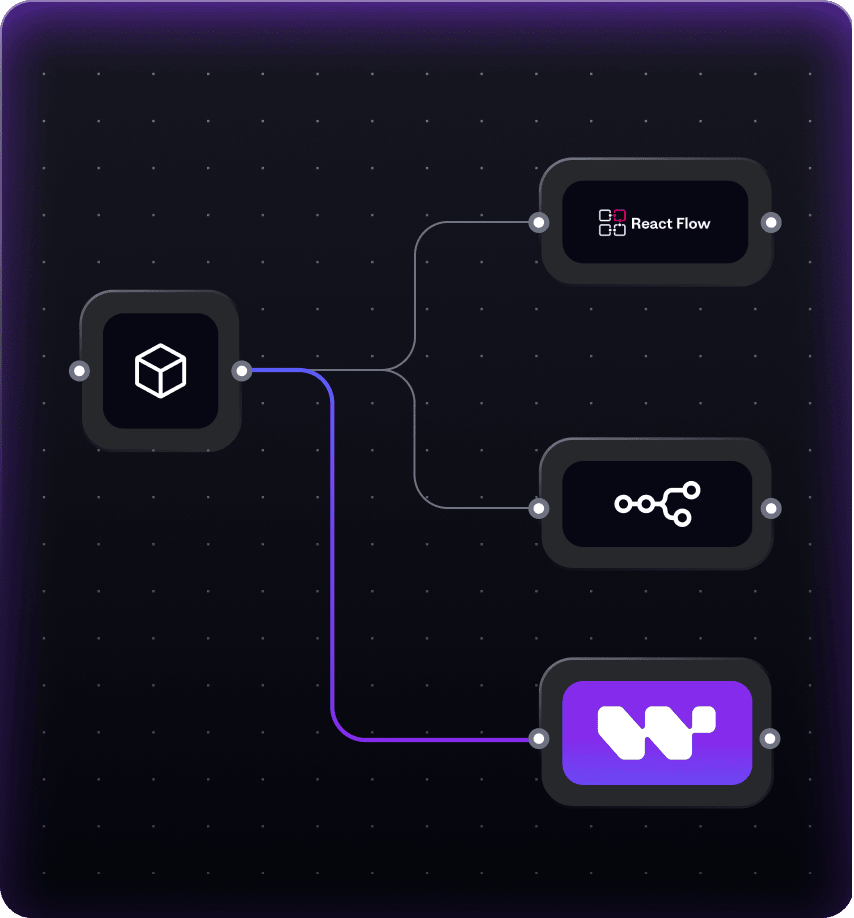
The choice isn't build-or-buy. It's build from primitives, buy a SaaS platform, or buy an SDK and customize. This page is the cost comparison and the decision framework.
Three paths
Your paths to a production workflow editor
| Build from React Flow | Buy a SaaS platform (e.g. n8n embed) | Buy an SDK and customize (Workflow Builder) | |
|---|---|---|---|
| Upfront cost | $67,200 – $120,000 dev time | ~$50,000/year license | €6,990 one-time license |
| Time to production | 14–25 weeks | Days to weeks | 1–4 weeks integration |
| Recurring cost | 1 FTE/year maintenance | ~$50,000/year + scaling | Minimal — own the code |
| UX & design system control | Full (you build it) | Limited — vendor styling | Full — design tokens, scoped CSS |
| Source code ownership | Yes | No | Yes — Apache 2.0 (Community) or commercial license |
| Vendor lock-in risk | None | High — pricing, deprecation, embed terms | None — perpetual license, no subscription |
| Edge routing, auto-layout, node config | Build from scratch | Vendor-defined | Included (libavoid, ELK, JSON Schema) |
| Custom node types | Full freedom | Vendor-constrained | Full freedom |
| Best for | Internal prototypes; teams with existing canvas infra | Standalone automation product where workflow IS the product | SaaS embedding a workflow editor as a feature |
The build cost
What 14–25 weeks of "build from scratch" actually looks like
React Flow gives you a canvas with pan-zoom, node rendering, and drag-to-connect. Everything users expect from a workflow editor — the production layer — is on you.
| What you need | Build effort | Cost (at $120/hr) |
|---|---|---|
| Obstacle-avoiding edge routing | 2–4 weeks | $9,600 – $19,200 |
| Auto-layout (ELK integration) | 1–2 weeks | $4,800 – $9,600 |
| Schema-driven node configuration panels | 2–4 weeks | $9,600 – $19,200 |
| Design system integration | 1–3 weeks | $4,800 – $14,400 |
| Performance optimization (500+ nodes) | 2–4 weeks + ongoing | $9,600 – $19,200 |
| Execution state visualization | 2–4 weeks | $9,600 – $19,200 |
| Validation & error states | 2–3 weeks | $9,600 – $14,400 |
| Total initial build | 14–25 weeks | $67,200 – $120,000 |
| Maintenance, year one | 1 FTE equivalent | $150,000+ |
Opportunity cost
A senior React developer spending four months on a workflow canvas is not spending those four months on your core product. For most B2B SaaS adding a workflow editor as a feature, the workflow editor is not the differentiator. The product around it is.
Compounding maintenance
A workflow editor embedded in your product isn't static infrastructure — it's a living component that evolves alongside every feature you add. React 19. New node types. Mobile gestures. Accessibility audit. Each one re-opens the canvas code.
“€6,990 feels expensive for our MVP needs, but I calculated that building this would cost 20–25k in developer time.”startup evaluator, quoted in the hidden cost analysis
Decision framework
When to build, when to buy a platform, when to buy an SDK
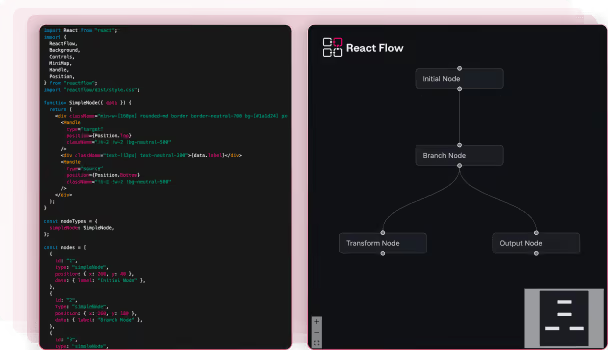
Build from React Flow
The editor IS your product
- The editor is an internal prototype or narrow tool with no production polish required
- Your team has shipped a production workflow canvas before and has the abstraction layer code ready to reuse
- You need a custom interaction model that an SDK would constrain
- The workflow editor IS your product, not a feature in your product — and you have the engineering capacity to maintain it for years
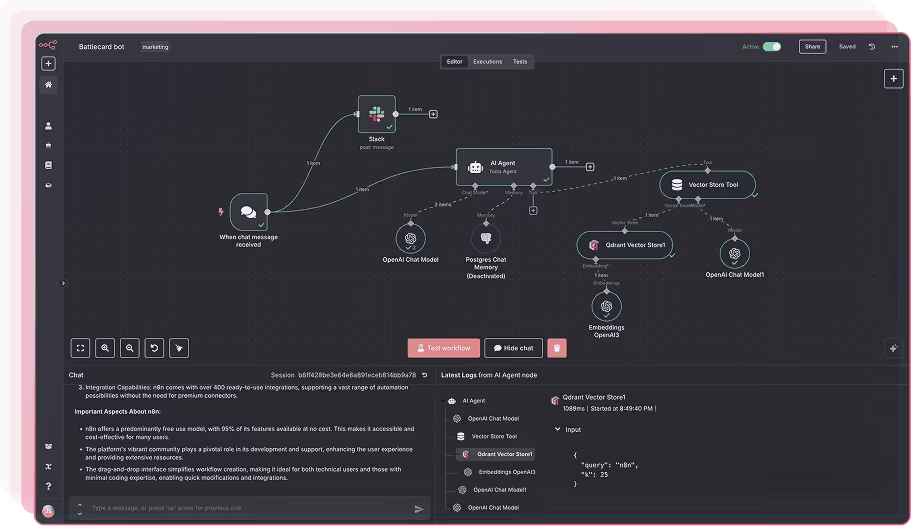
Buy a SaaS platform
n8n embed, Zapier-style
- Standardized automation flows are good enough — you don't need custom UX or branded nodes
- Your users are technical and tolerate vendor UI
- ~$50K/year recurring is acceptable relative to the alternative
- You're OK with vendor lock-in on visual layer, branding, and roadmap
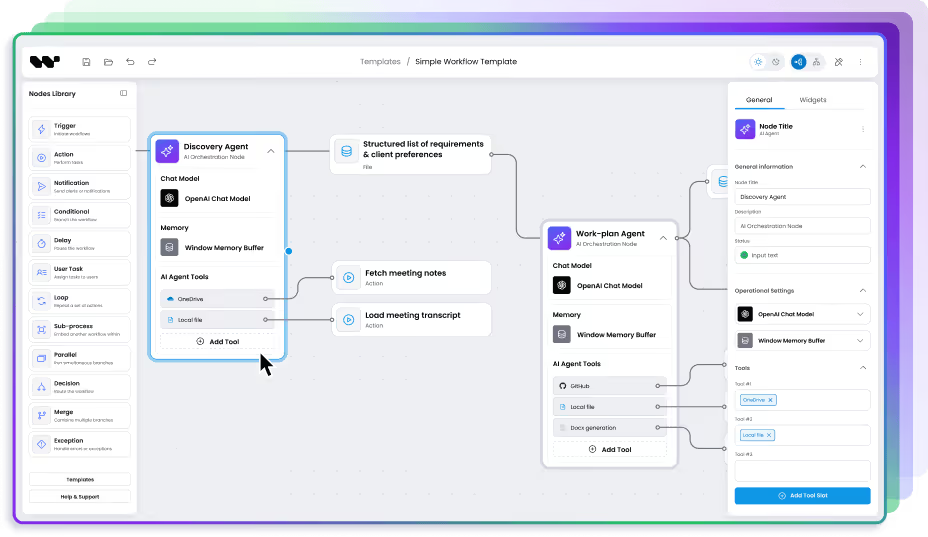
Buy an SDK and customize
Workflow Builder
- You're embedding a workflow editor as a feature inside an existing B2B SaaS product
- Deadline matters — investor demo, roadmap commitment, market window
- Design system integration is non-negotiable; the editor has to match your product
- You want source code, no recurring license, no vendor lock-in
- Your team is strong at React/business logic but lacks specialized canvas engineering experience

Architecture
Workflow Builder is built on React Flow
Choosing Workflow Builder is not choosing against React Flow. It is choosing a production workflow editor layer built on top of it — the edge cases solved, the production patterns extracted, and the hard problems packaged into a composable SDK.
When you use Workflow Builder, React Flow still handles the canvas. You get the full React Flow ecosystem — its documentation, its community, its plugin library — plus the layer that handles what React Flow intentionally leaves open.

Your product
Your application, your users, your brand

Workflow Builder SDK
Edge routing · Auto-layout · Schema-driven UI · Design system · Flow Runner

React Flow (@xyflow/react)
Canvas · Nodes · Edges · Pan/zoom · Drag-to-connect
Proof
How teams ship a workflow editor with Workflow Builder
Not features of Workflow Builder. Examples of what it lets teams build, and how fast.
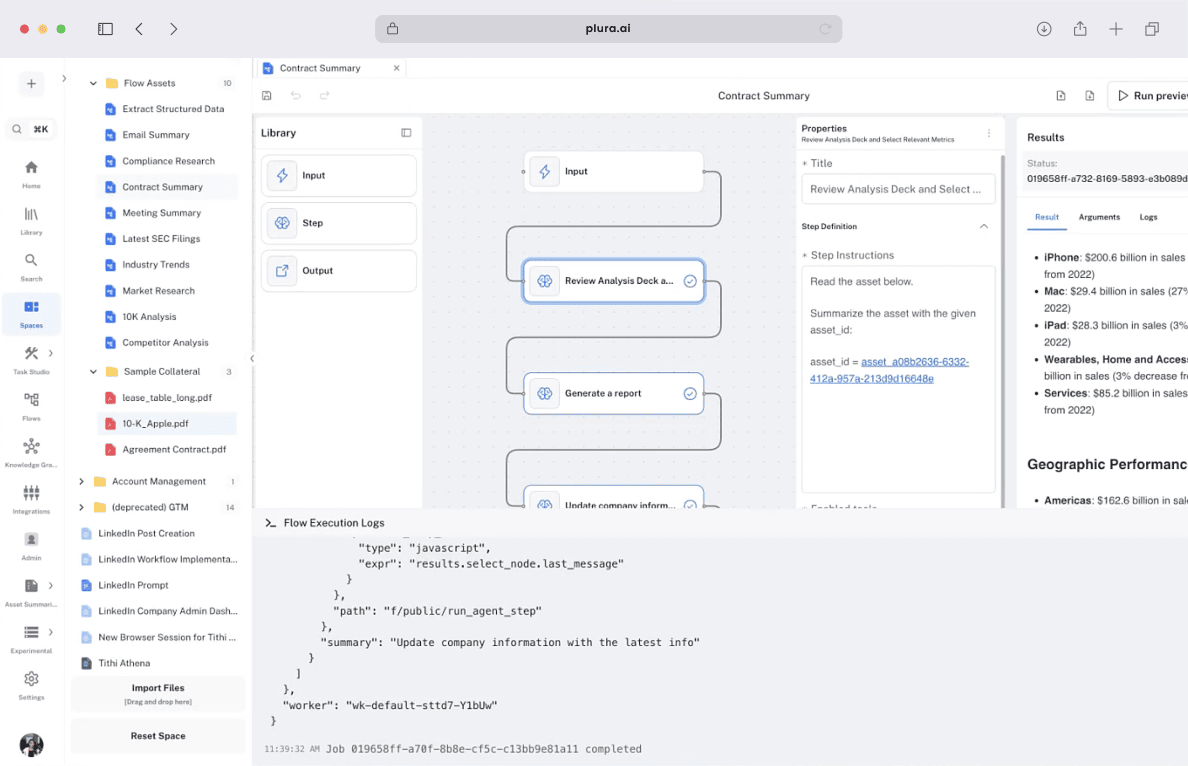
One day to a production editor
Athena Intelligence deployed a production-grade workflow editor in 1 day using Workflow Builder's white-label license. Full customization — form logic, CSS adjustments, scoped design tokens — completed in 1 week. Weeks of internal development eliminated; engineering capacity redirected to core product.

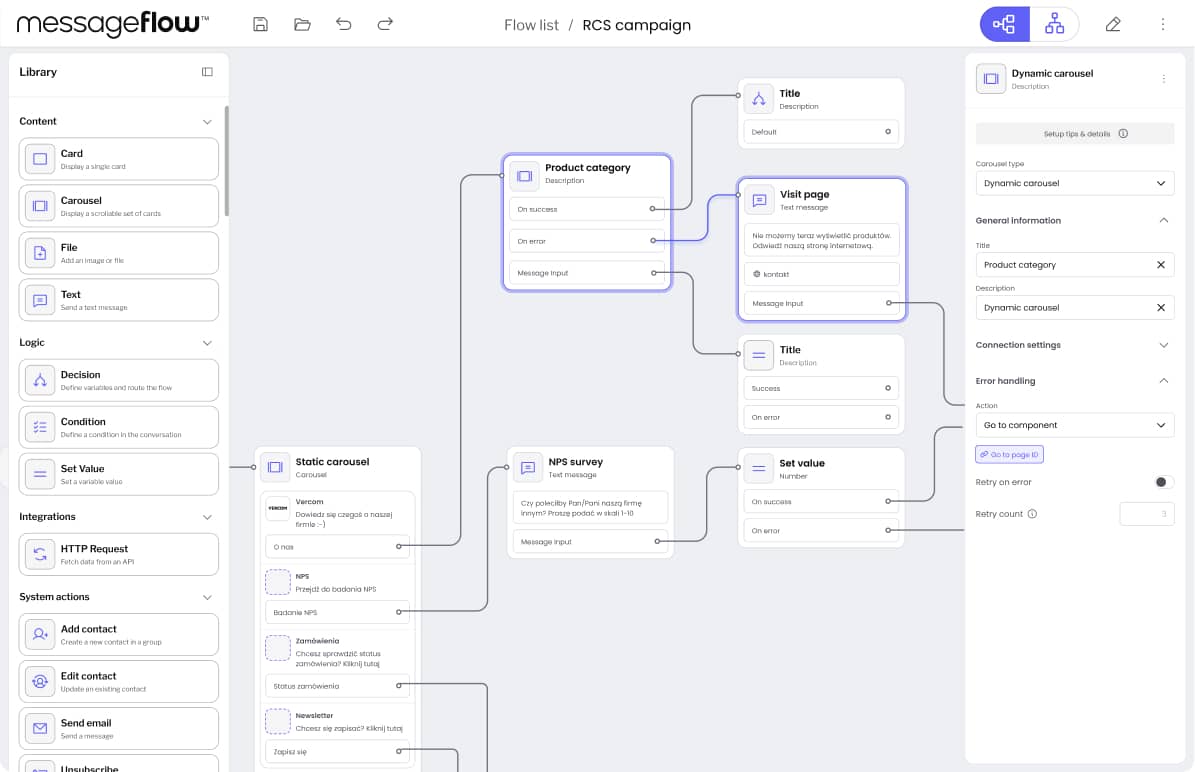
RCS Flow Studio built fast
Vercom shipped RCS Flow Studio — an enterprise-grade visual campaign builder — using Workflow Builder's React SDK with custom RCS nodes and token-based theming. Delivered ahead of schedule, within budget, and ahead of Vercom's own backend integration. Highest quality score in Vercom's internal assessment; positioned as the most user-friendly RCS tool on the market.

I found you guys, I was like, wait a minute. Someone's actually focused on the front end part. That's where expertise is tough.
Recent quote from discovery meeting
CASE STUDIES
FAQ
Frequently asked questions
- Should we build a workflow editor or buy one?
Build from React Flow primitives only if the workflow editor is your product (not a feature) and you have engineering capacity for 14–25 weeks plus ongoing maintenance. For B2B SaaS adding a workflow editor as a feature, buying an SDK (Workflow Builder) typically wins on time-to-market (1–4 weeks vs 14–25), cost ($6,990 one-time vs $67,200–$120,000), and ongoing maintenance burden. Buying a SaaS platform (n8n-style embed) makes sense only when vendor UX and ~$50K/year recurring are both acceptable.
- How much does it actually cost to build a workflow editor on React Flow?
A production-grade workflow editor built on React Flow takes 14–25 weeks of senior developer time — $67,200 to $120,000 at $120/hr. Add roughly one full-time engineer per year for ongoing maintenance. Hidden categories most teams under-estimate: obstacle-avoiding edge routing (2–4 weeks), schema-driven node configuration (2–4 weeks), design system integration (1–3 weeks), and performance optimization beyond 500 nodes.
- What does React Flow not include?
React Flow provides canvas primitives — pan-zoom, node rendering, drag-to-connect, basic edges. It intentionally leaves the production layer to developers: obstacle-avoiding edge routing, automatic layout, schema-driven node configuration panels, design system integration, validation logic, execution state visualization, and performance optimization for hundreds of nodes. These represent 14–25 weeks of engineering before a workflow editor is ready for real users.
- Is Workflow Builder a replacement for React Flow?
No — Workflow Builder is built on React Flow. It adds the production layer (edge routing, auto-layout, node config, design tokens) without replacing React Flow's canvas primitives. You keep access to React Flow's documentation, ecosystem, and plugin community.
- What's the difference between Workflow Builder and n8n?
n8n is a standalone workflow automation platform with its own UI and execution engine — you embed n8n's product into yours, accepting vendor styling and ~$50K/year licensing. Workflow Builder is an SDK — you embed the editor component into your product, fully styled with your design system, with your backend executing the workflows. n8n is right when the workflow IS the product; Workflow Builder is right when the workflow is a feature inside your product.
- How long does Workflow Builder integration actually take?
1–4 weeks for most teams. Athena Intelligence had a working demo in 1 day and full customization in 1 week. Vercom shipped a production RCS campaign builder ahead of their own backend integration timeline. Integration scope depends on how many custom node types you need and how deep design system integration goes.
- What does 30-min consultation include?
A 30-minute intro call with a Workflow Builder expert, who has shipped workflow editors at enterprise scale. We learn about your situation and the project you're shaping, walk you through what Workflow Builder is, and discuss how it fits your needs. No sales pressure. If a deeper architecture review or cost estimate would help afterwards, we'll schedule that as a follow-up.
- Can we migrate from a React Flow build to Workflow Builder later?
Yes — Workflow Builder is built on React Flow, so your existing node components, edge logic, and React Flow state typically port over without rewriting. Most migration work is replacing in-house edge routing, auto-layout, and configuration panels with Workflow Builder's equivalents, then mapping your design tokens. We'll cover migration paths in Architecture Review if it's relevant.
Get the cost math for your specific use case
30 minutes with the team that has shipped 200+ commercial workflow editors. Build, buy, or SDK, we'll give you the honest answer.