Embed a production-ready workflow editor in your React app
NPM package for the editor, Apache 2.0 reference back-end, swappable engine integrations. Ship in days, not months. Build with your team or with ours.



 Apache 2.0 - commercial use OK, no copyleft
TRUSTED BY ENTERPRISE TEAMS







What you get with WB 2.0
Three composable blocks.
One SDK to install, a reference stack to fork.
The editor installs from npm. The reference back-end and engine adapter are open-source code you fork - not packaged products. Temporal ships as the reference adapter today.

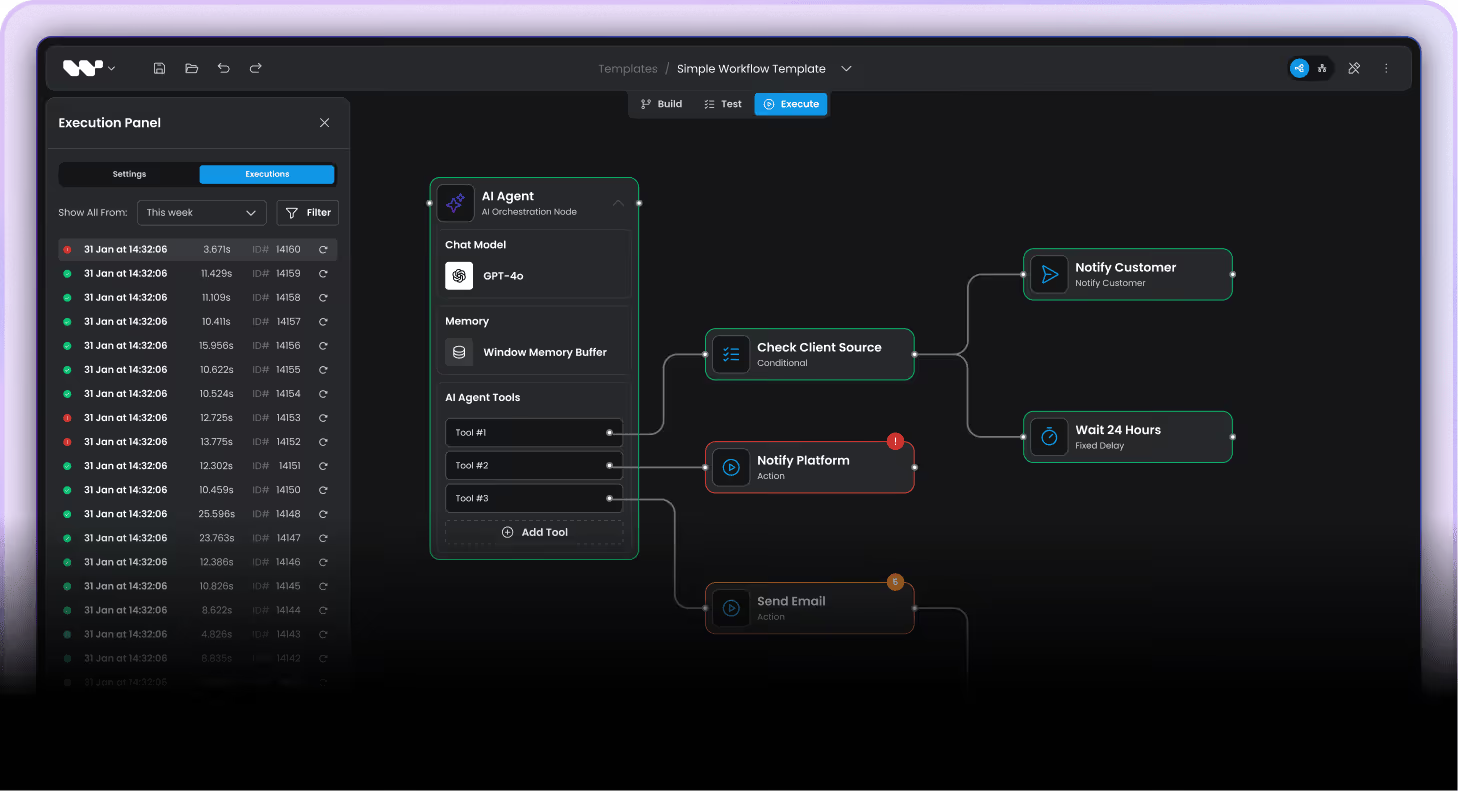
Visual workflow editor
The React canvas, properties panel, smart edge routing, ELK auto-layout, JSON serialization. Drag-and-drop nodes with TypeScript schemas. Drops into your app via NPM.
Back-end-agnostic - bring your own API or use our reference back-end below.
npm install @workflowbuilder/sdk
Reference back-end
Engine-agnostic HTTP API, graph runner, three port interfaces. A reference implementation to fork - not an installable package. Apache 2.0, public GitHub, free forever.
git clone … && pnpm install && pnpm infra:up && pnpm dev:backend && pnpm dev:worker
Engine integrations
Plug your own execution engine into the reference back-end. Temporal ships as the reference adapter; integrate any other engine through the same workflow engine ports.
Temporal adapter · engine-agnostic ports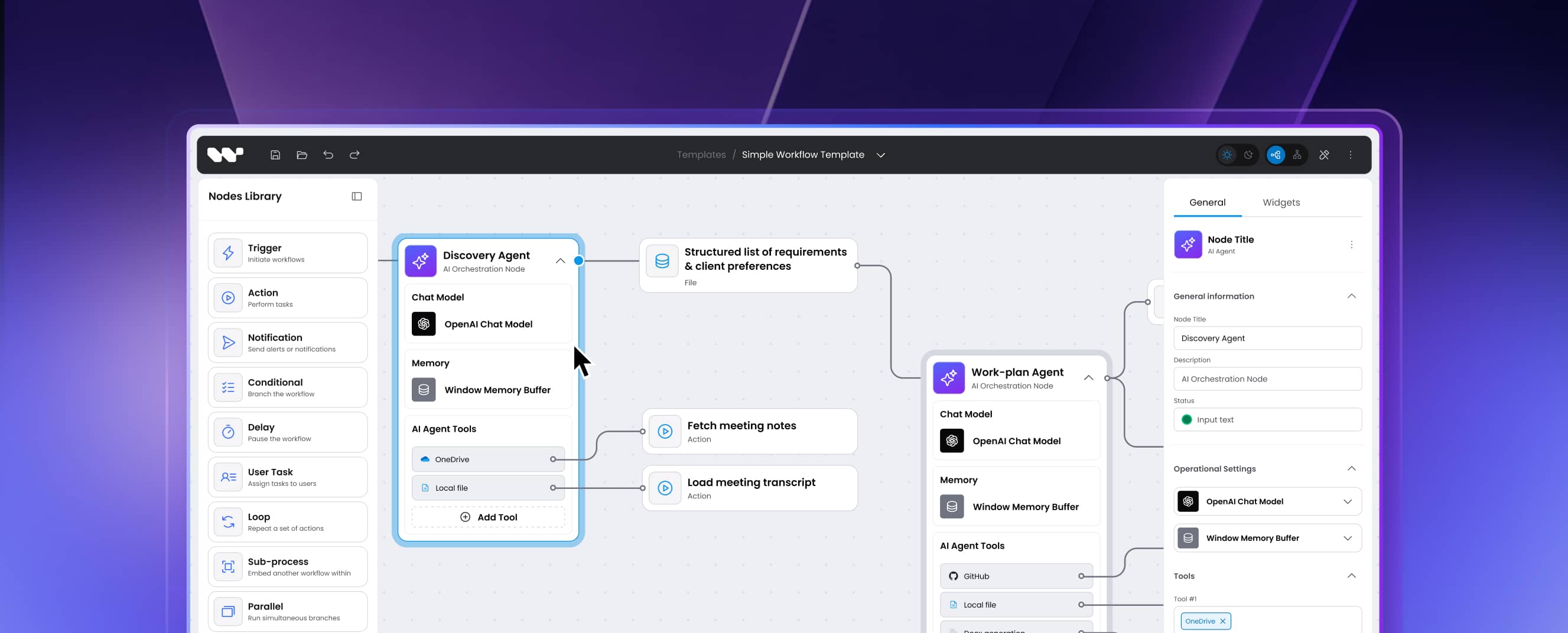
How teams apply Workflow Builder
From AI agents to industrial automation
Different products, same primitives. Workflow Builder sits at the UI layer; your domain shapes what flows through it.
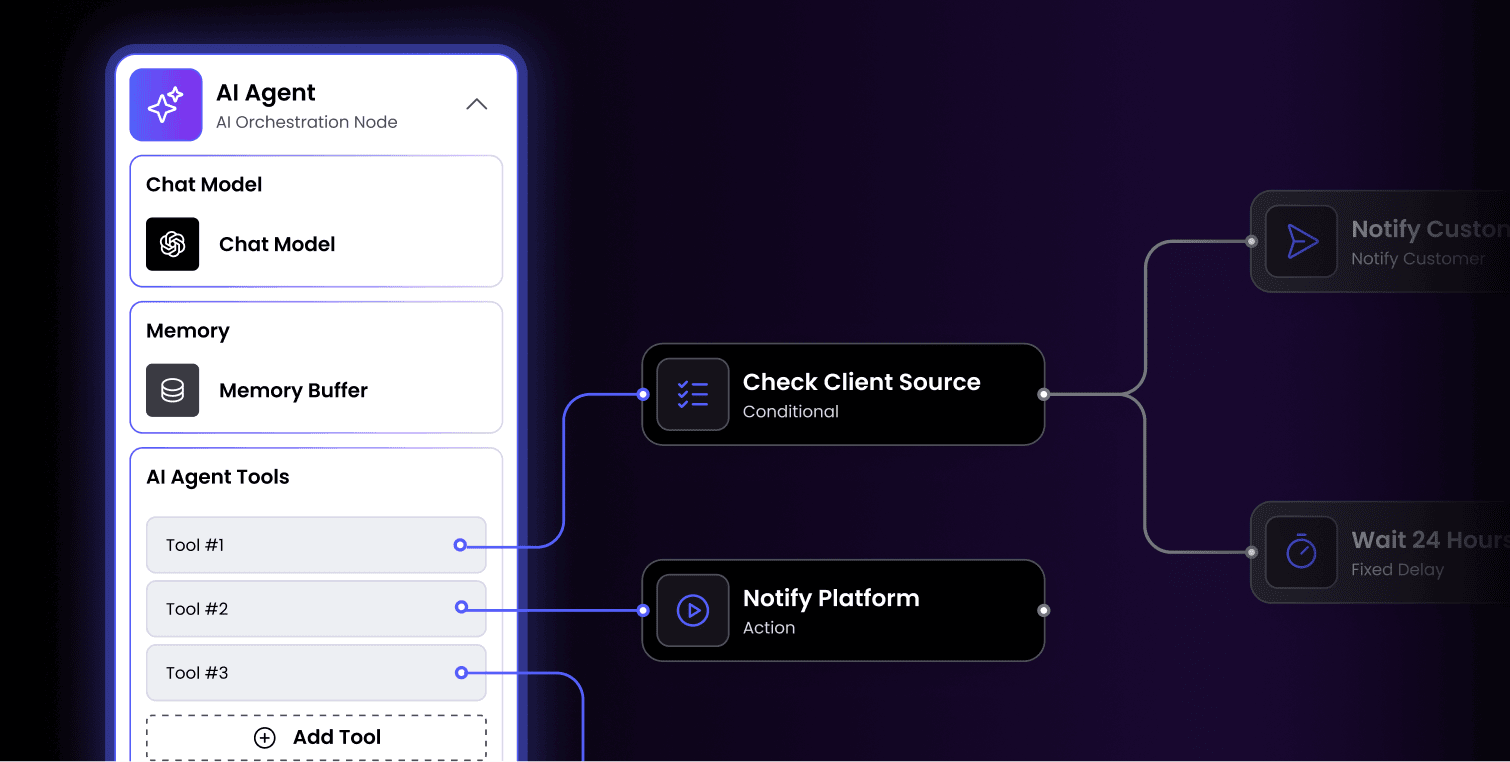
Embeddable canvas for AI agents, prompts, chains
- UI layer on top of LangGraph, Inngest, Temporal, or your own runtime
- Custom AI agent nodes, tool nodes, validation nodes
- End-user can edit flows without rebuilding the editor
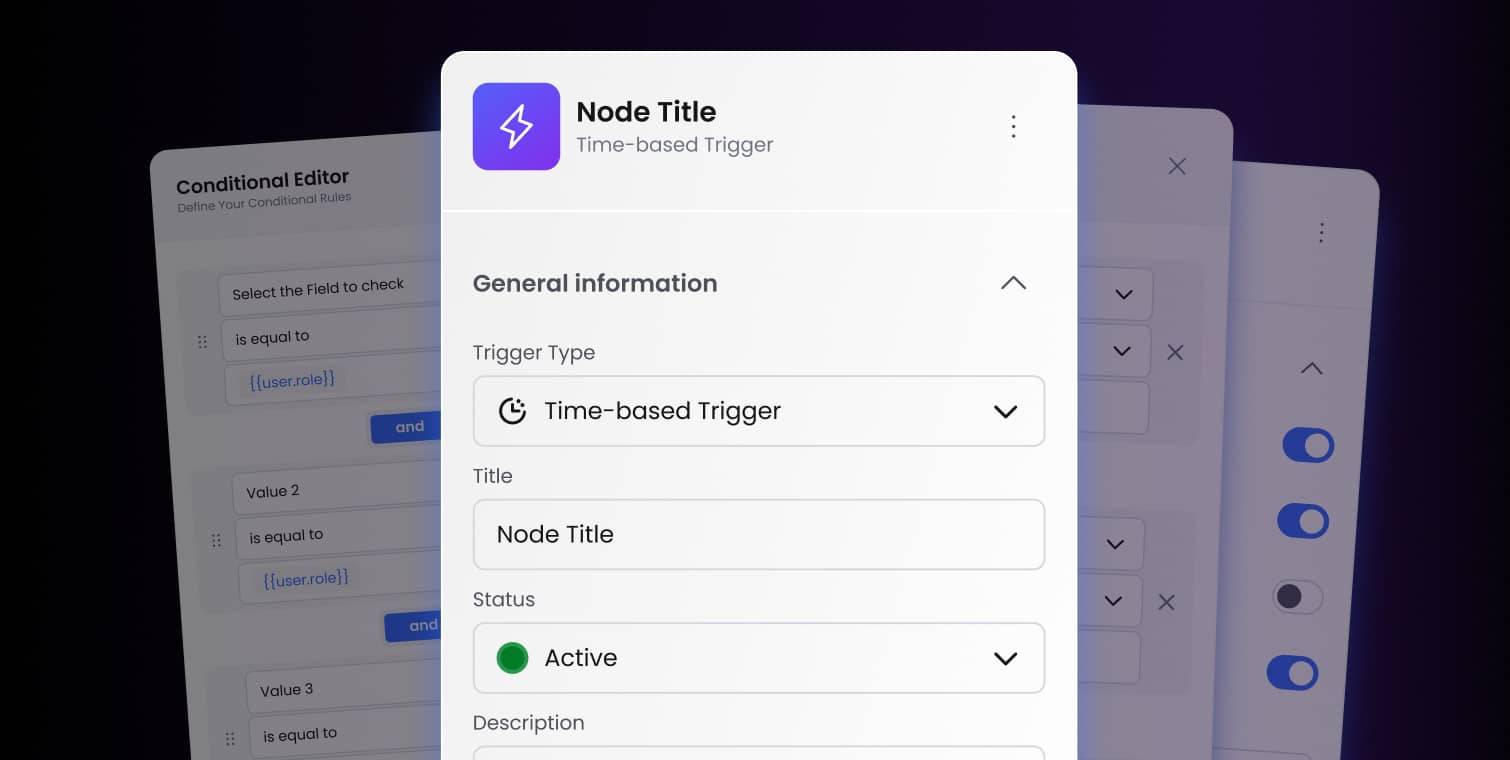
Custom B2B SaaS automation in your product
- Schema-driven properties panel for your domain logic
- Reference back-end with Temporal as starter execution layer
- You own data, deployment, branding
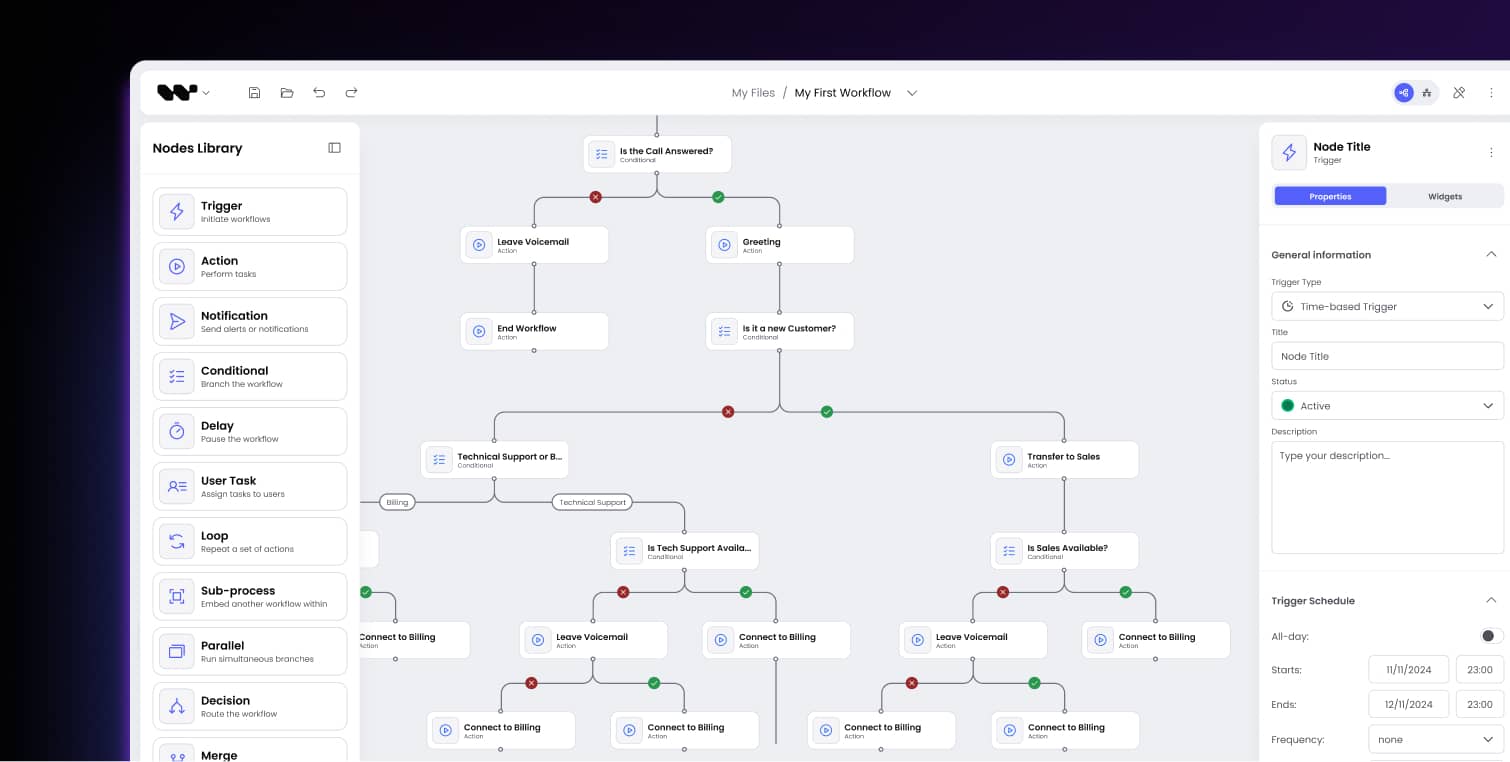
One canvas, dozens of workflow categories
- IVR call flow editors with queue + time-based routing
- Email and SMS campaign builders with branching + AI scoring
- Telehealth patient flows and clinical decision trees
- Parameter service config for manufacturing lines
Whenever a product needs an embedded visual workflow editor over a domain graph - workflow, schematic, lineage, decision tree - Workflow Builder is the editor layer.
Decide before you build
In-house from scratch, or build on Workflow Builder?
Both paths ship a workflow editor. One costs 14-25 weeks of canvas work before you touch domain logic. The other starts on day one.


Build in-house only when

You have engineers to spare for the canvas
You can afford 14-25 weeks before domain logic gets attention
You have an existing canvas team owning React Flow, D3, or custom graph code
Your editor needs are highly bespoke and React SDK conventions would block you
You prefer building auto-layout, edge routing, schema panels from scratch
Choose Workflow Builder when

You need a production editor, fast
You want to spend engineering hours on domain logic, not canvas plumbing
You need schema-driven panels, smart routing, auto-layout out of the box
You want back-end flexibility – your own engine, Temporal, or our reference
You want the source code yours to fork or replace (Apache 2.0 Community + Enterprise license)
The moment when WB pays off: when you realize the canvas is the generic part and domain logic is where the product lives.
Built by experts. Designed for enterprise.
Diagramming experts.
15+ years of workflow product engineering.
We do not just ship a React SDK - we have been building workflow products for B2B SaaS since 2011. Workflow Builder is what we use to ship those products faster.


Workflow Builder gave us a complete, proven foundation. Our team went straight to building what is unique about our product. That saved us roughly EUR 50,000 and months of trial and error.
Adam Lewkowicz · CTO at MessageFlow (Vercom)
Design your workflow interface
The workflow builder UI components that ship on day one
The workflow builders before you spent 14-25 weeks rebuilding the canvas before touching domain logic. Workflow Builder ships those pieces on npm install so your team starts on domain logic.

Visual Workflow Canvas
Pan, zoom, multi-select, lasso, marquee. The foundation every workflow editor needs, tuned for 500+ nodes performance.
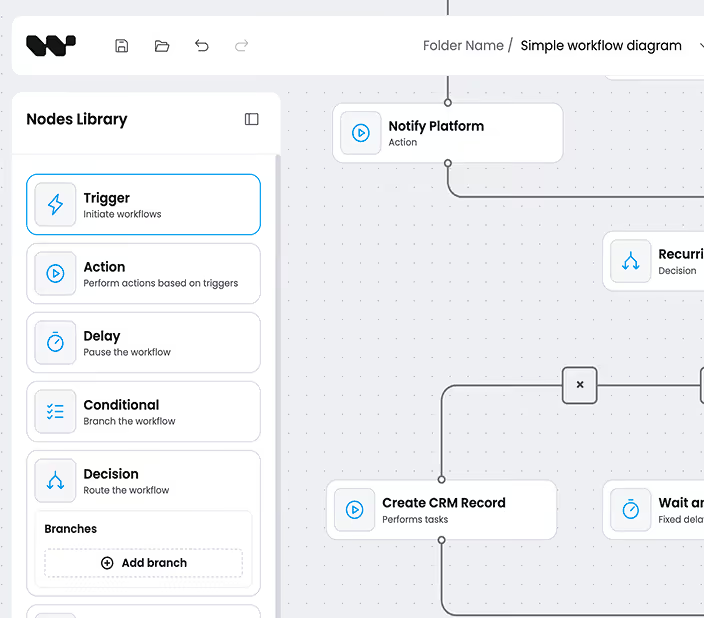
Custom nodes & node library
Drag-and-drop React components from a configurable node library. Bring your design system, your icons, your interaction patterns.
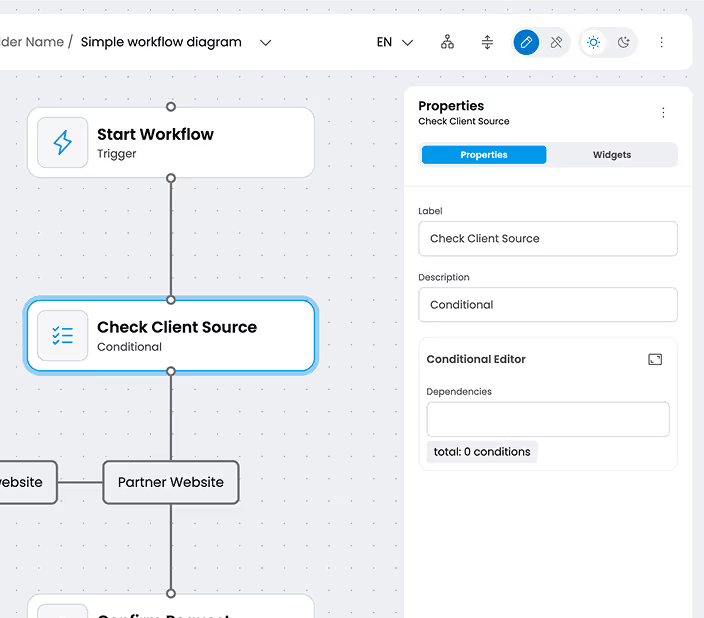
Schema-driven properties panel
Define your TypeScript node schemas, get a typed properties panel automatically. JSON Schema in, validated form out.
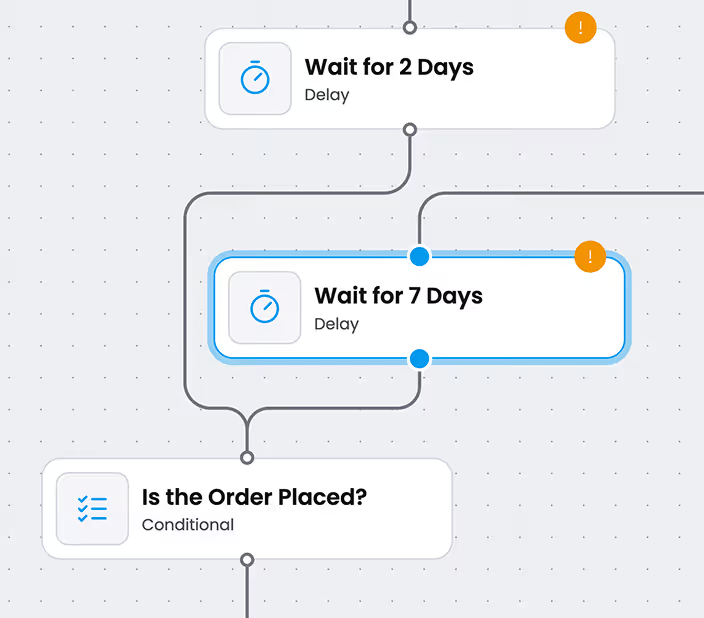
Smart edge routing
Automatic edge routing avoids overlaps and reads cleanly at any zoom level. No manual layout work.
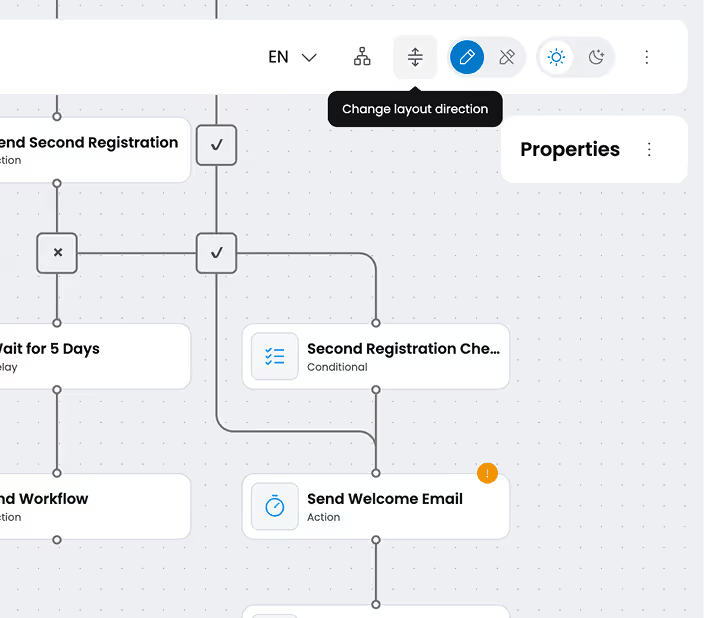
ELK auto-layout
One-click auto-layout powered by ELK. Vertical, horizontal, layered - your call.
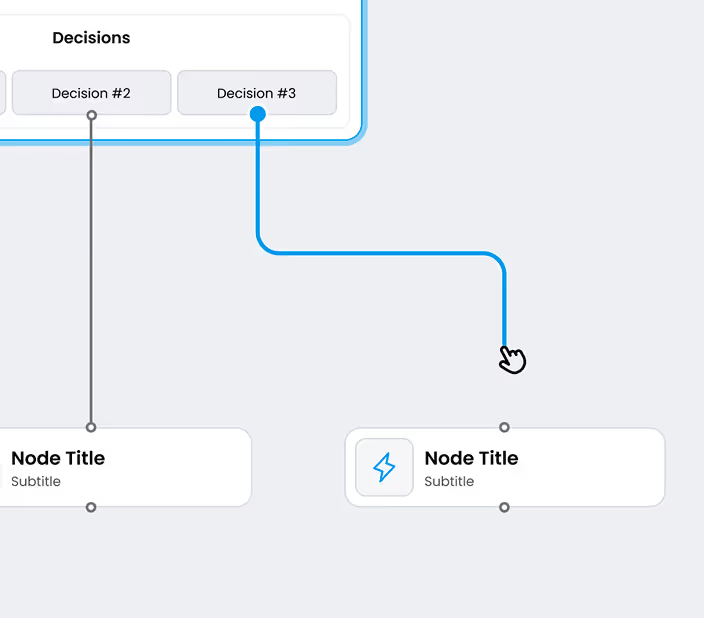
Edge Reshaping
Interactive handles let users adjust edge paths to taste. Pinch curves, drag waypoints, snap to grid.
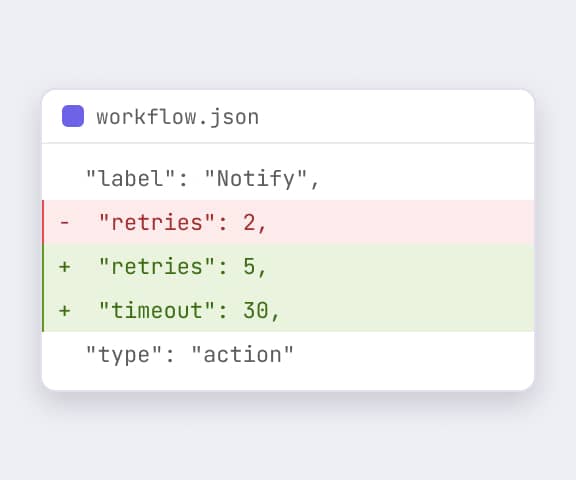
JSON serialization
Workflow state in, workflow state out. Back-end-agnostic, version-control friendly, easy to diff.
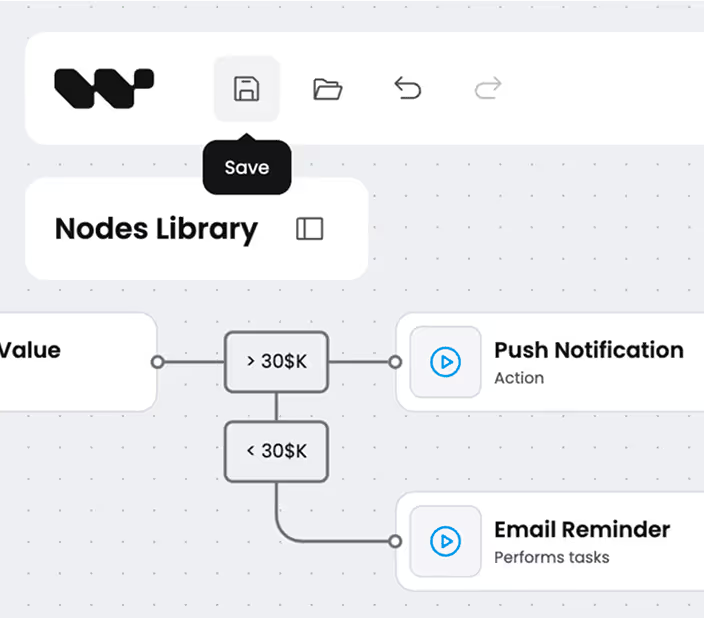
Auto-save and persistence
Local-storage or your API endpoint - the editor saves as users type. No data loss on page refresh.
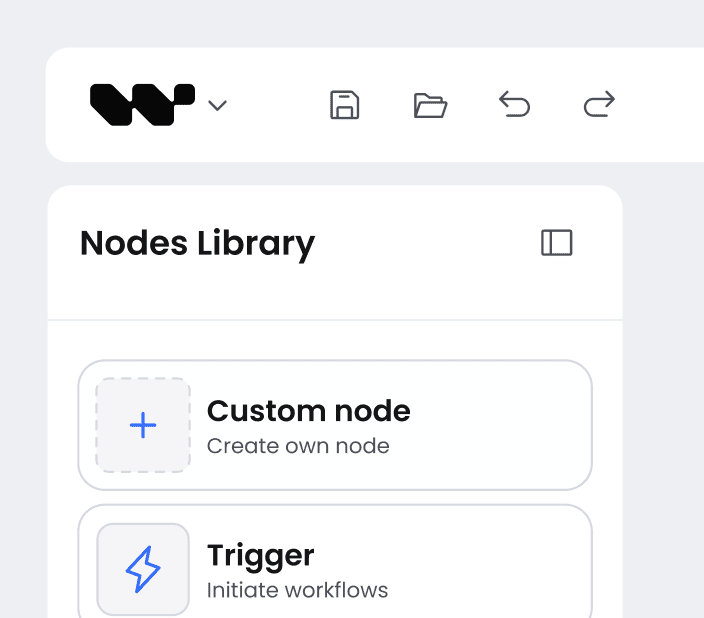
Undo, redo, copy, paste
Full history stack with multi-node selection. Keyboard shortcuts wired in. Production-grade editing UX.
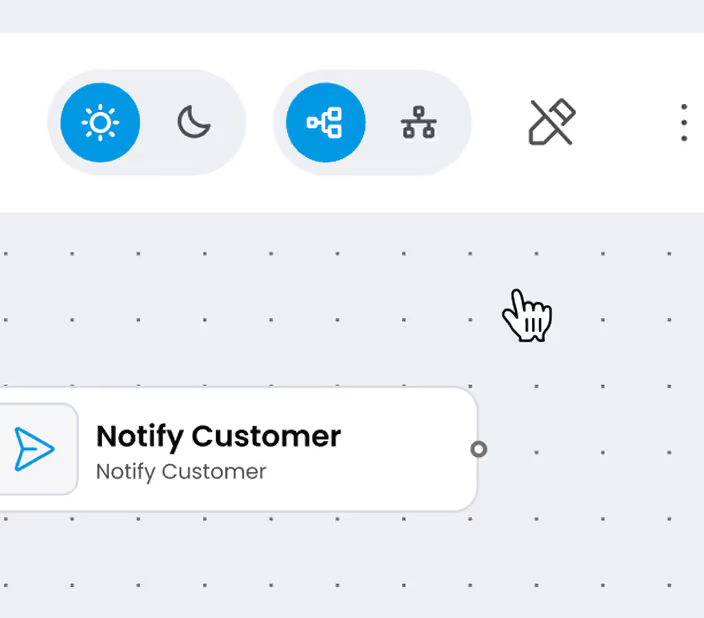
Read-only Mode
Display workflows to viewers without edit permissions. Same canvas, locked controls. Perfect for review queues and audit trails.
Built on a real design system
A production design system, not just a UI kit
Workflow Builder ships on a full design system: design tokens (color, typography, spacing, radii), every editor component, and its variants and states. The same system lives in code (in the SDK) and in Figma for designers (Enterprise), so design and build never drift.
Proof in production
Case studies from teams who shipped on Workflow Builder
B2B SaaS teams across AI, data, and messaging use Workflow Builder as the editor layer of their product. Here are three of them.
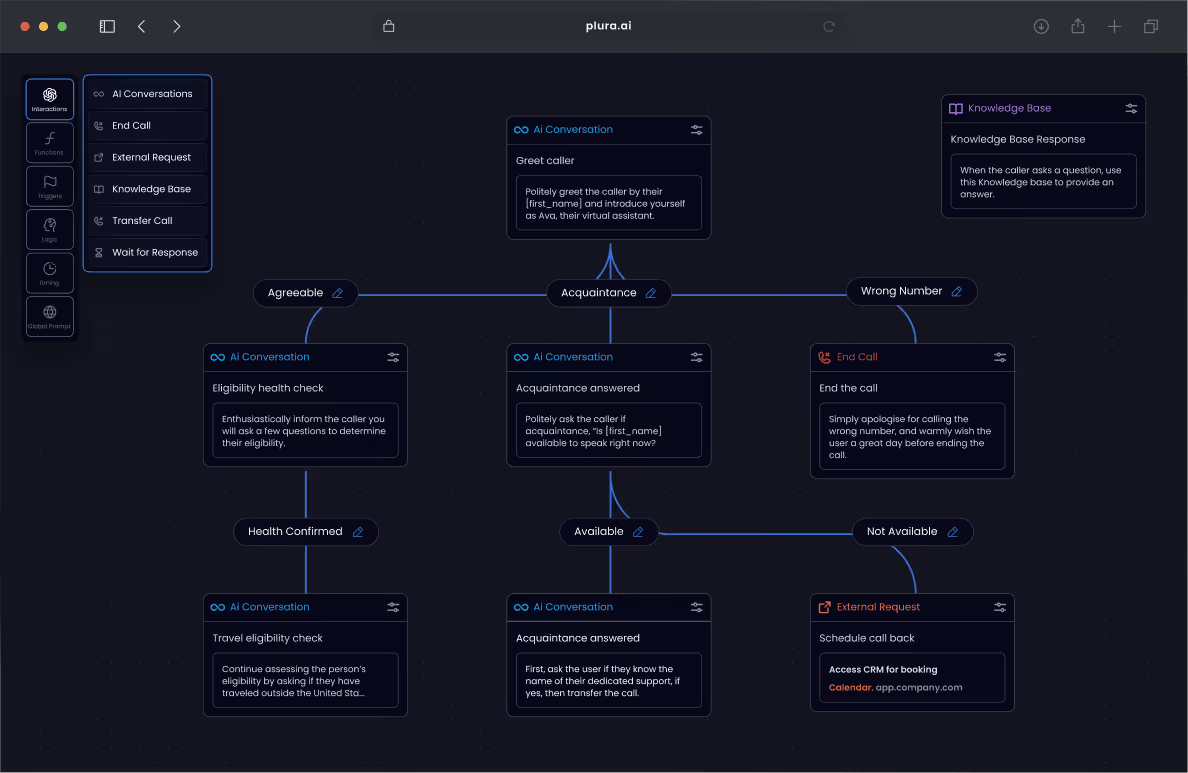
AI workflow editor for healthcare PMs
Plura AI embedded the visual workflow editor to let product teams design AI agent workflows visually. They ship the editor, their back-end runs the agents.
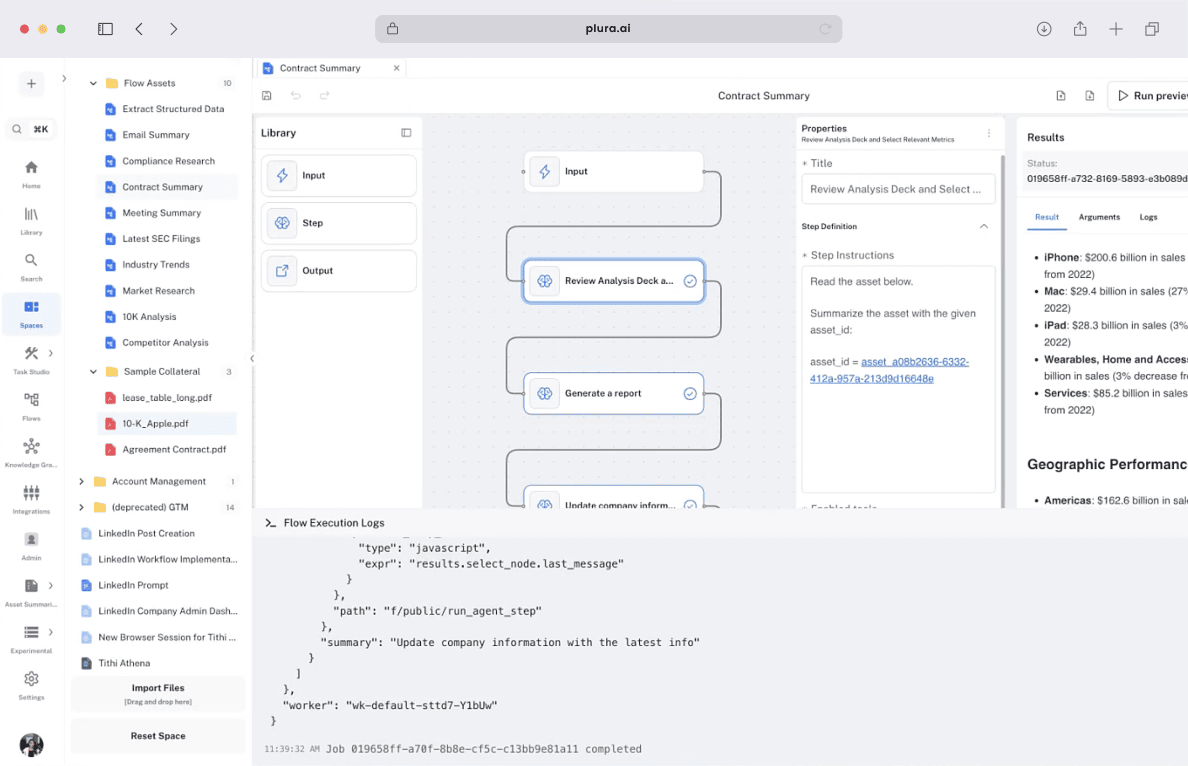
Code-first AI workflows for analyst teams
Athena Intelligence runs LangGraph behind a Workflow Builder canvas. End users see a visual graph; back-end runs Python agents and tools. Schema-driven properties panel handles every tool config.
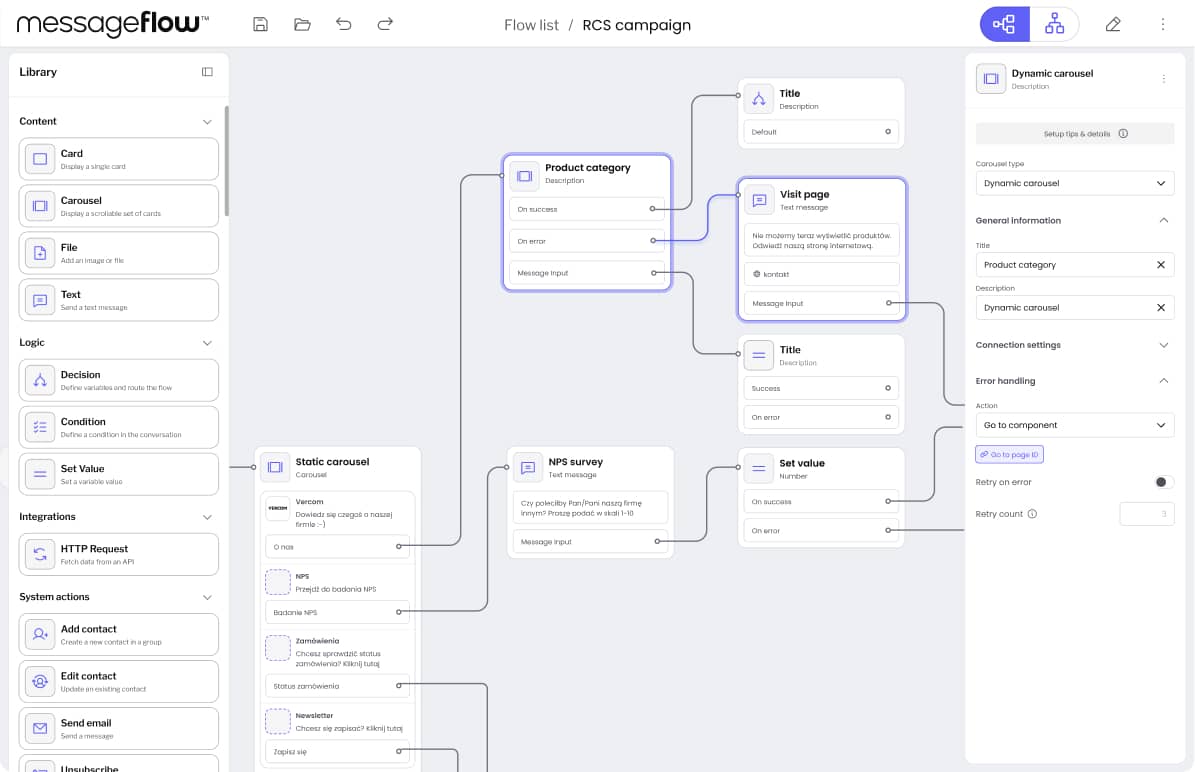
Workflow automation for B2B messaging
Vercom shipped customer-facing workflow automation inside their messaging platform - email + SMS + push, with conditional branches and AI scoring nodes. Built on Workflow Builder in weeks, not months.
Two ways to ship
Built with you, or built for you
Buy the license and ship with your team. Or partner with the Workflow Builder team and let our engineers integrate it end-to-end into your product.
Pick your tier – Community or Enterprise
Your engineers ship the product. Pick the level of source code and tooling you need.
Community Edition
Full three-block stack on GitHub. Commercial use OK, white-label OK, no copyleft.
Enterprise Edition
Source code access to advanced canvas plugins (edge routing, ELK layout, edge reshaping) and the design system in Figma.
Our AI engineering team ships it for you
The engineers who built the React SDK, available as an AI-driven engineering team. Two ways to engage:
Setup Sprint kickoff
2-4 week kickoff to architect, set up, and transfer to your team.
End-to-end delivery
We own the build from discovery to production.
CASE STUDIES
Frequently asked
Questions teams ask before they pick WB
- Is Workflow Builder the same as Builder.io?
No. Builder.io is a visual page builder for marketing sites. Workflow Builder is a React SDK for embedding production workflow editors into B2B SaaS products. Different category, different buyer, different problem.
- Is Workflow Builder a React Flow alternative?
Yes and no. Workflow Builder is built on React Flow - not a replacement for it. If you want a raw node-based library to compose yourself, React Flow is the right choice. If you want a production-ready workflow editor with edge routing, auto-layout, schema-driven properties panel, and a production design system out of the box, Workflow Builder is the alternative you are looking for. See the full comparison →
- What is included in the Enterprise license?
EUR 6,990 one-time gets you source code access to Enterprise-only components - advanced canvas plugins (edge routing, ELK layout, edge reshaping, and more) and the design system in Figma. Community Edition (Apache 2.0) is free on GitHub and already includes the visual workflow editor, reference back-end, and Temporal adapter - white-label use is allowed on both editions. See pricing details →
- Do I have to use Temporal for the back-end?
No. Workflow Builder ships with three composable blocks: the editor (NPM), the reference back-end (GitHub, Apache 2.0), and engine integrations (swappable). Temporal is our reference adapter - you can integrate another execution engine without rewriting the editor, using the same port interfaces. See engine integrations →
- Is the reference back-end open source?
Yes. The full reference back-end is part of Community Edition, Apache 2.0 licensed, public on github.com/synergycodes/workflowbuilder. Same with the Temporal integration adapter. You get the complete three-block stack open source - no commercial license required to ship a complete workflow product. See the open source story →
- How is this different from n8n or Zapier?
n8n and Zapier are workflow automation products - they host the back-end, host the editor, you bring your account. Workflow Builder is a React SDK you embed in your product. You own the back-end, the data, the UX, the customer relationship. Different buyer, different problem. See WB vs n8n →
- What makes this workflow builder tool production-ready?
A workflow builder UI library gives you a canvas. A production workflow builder tool ships the rest - schema-driven properties panels, smart edge routing, ELK auto-layout, JSON serialization, plugin architecture, theming, performance at 500+ nodes. That is the layer teams typically spend 14-25 weeks building on top of a library. Workflow Builder is library plus production layer in one React SDK. Used in production by Vercom, Athena Intelligence, and Plura AI.
Take the blocks you need.
Start with the editor on npm. Add the reference back-end when you need execution.
Talk to us when you want a partner to ship it for you.